Inbox Cleanup: From 20 Unread to 6 That Matter
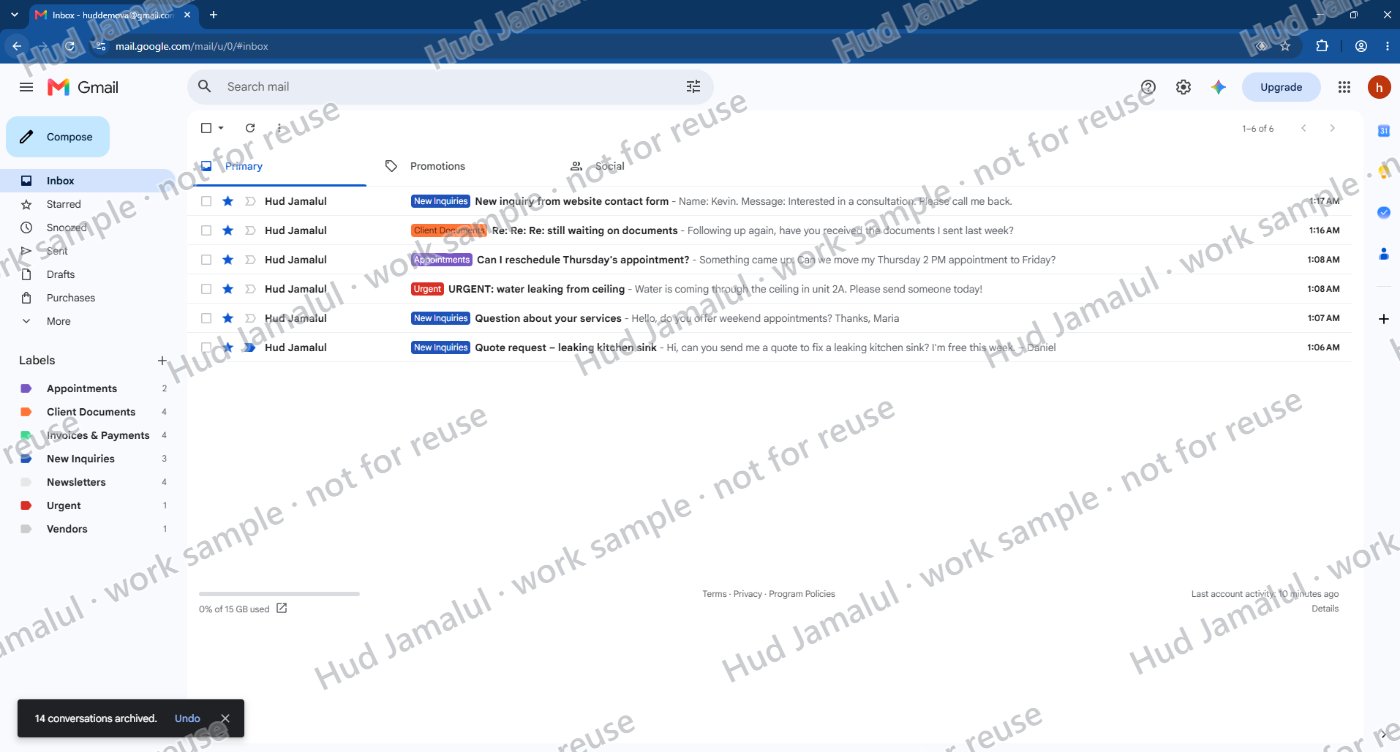
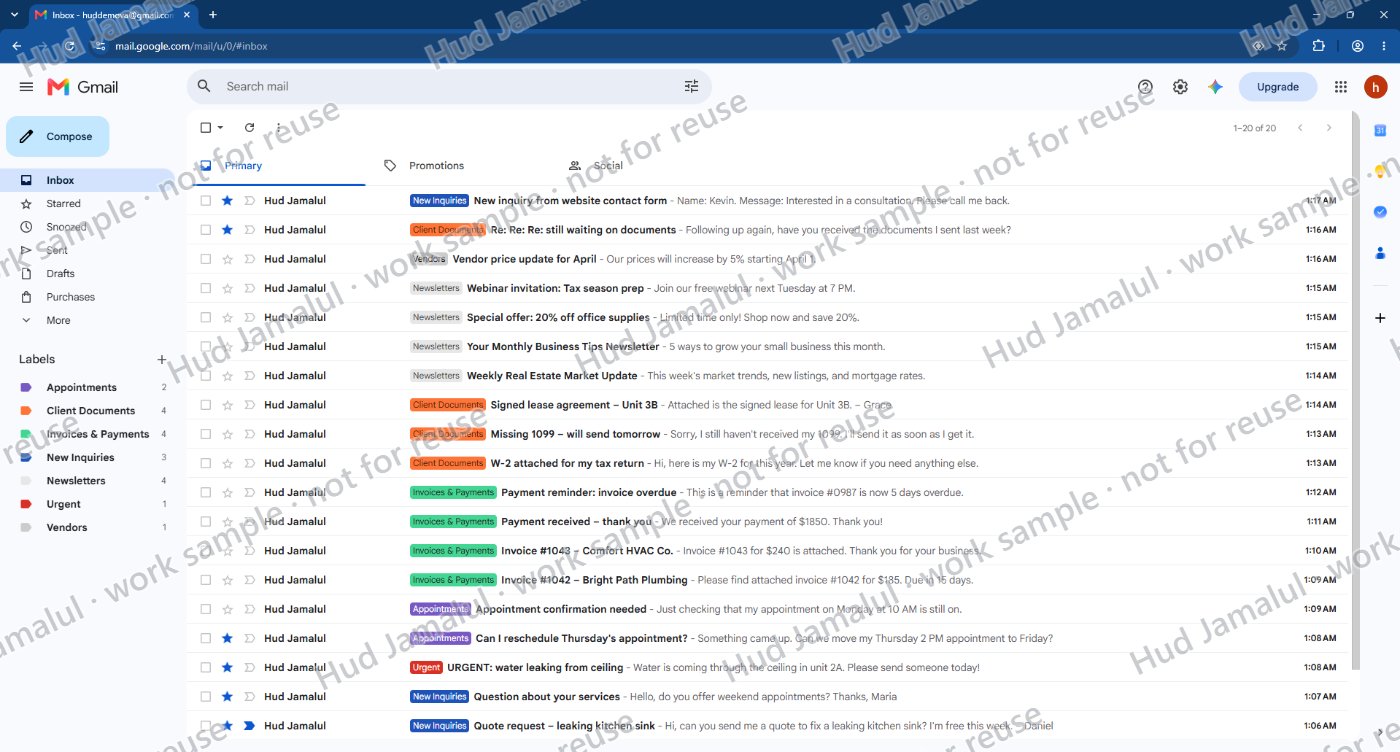
ResultIn the demo inbox: 20 unsorted emails down to the 6 that need action today, with 7 labels and 5 filters keeping it sorted.
A Gmail inbox organized with color-coded labels, automatic filters, and saved replies, so the owner sees only what needs action today.
- Gmail
- Gmail labels
- Gmail filters
- Gmail templates
Sample project. I built this in a demo Gmail account with 20 fictional emails, set up the way a busy small business inbox really looks.
The task
A busy owner's inbox mixes everything together: new client inquiries, urgent repair requests, appointment changes, invoices, client documents, vendor notices, and newsletters. Important messages get buried, and replies are slow.
What I did
- Created 7 color-coded labels: Urgent, New Inquiries, Appointments, Invoices & Payments, Client Documents, Vendors, and Newsletters
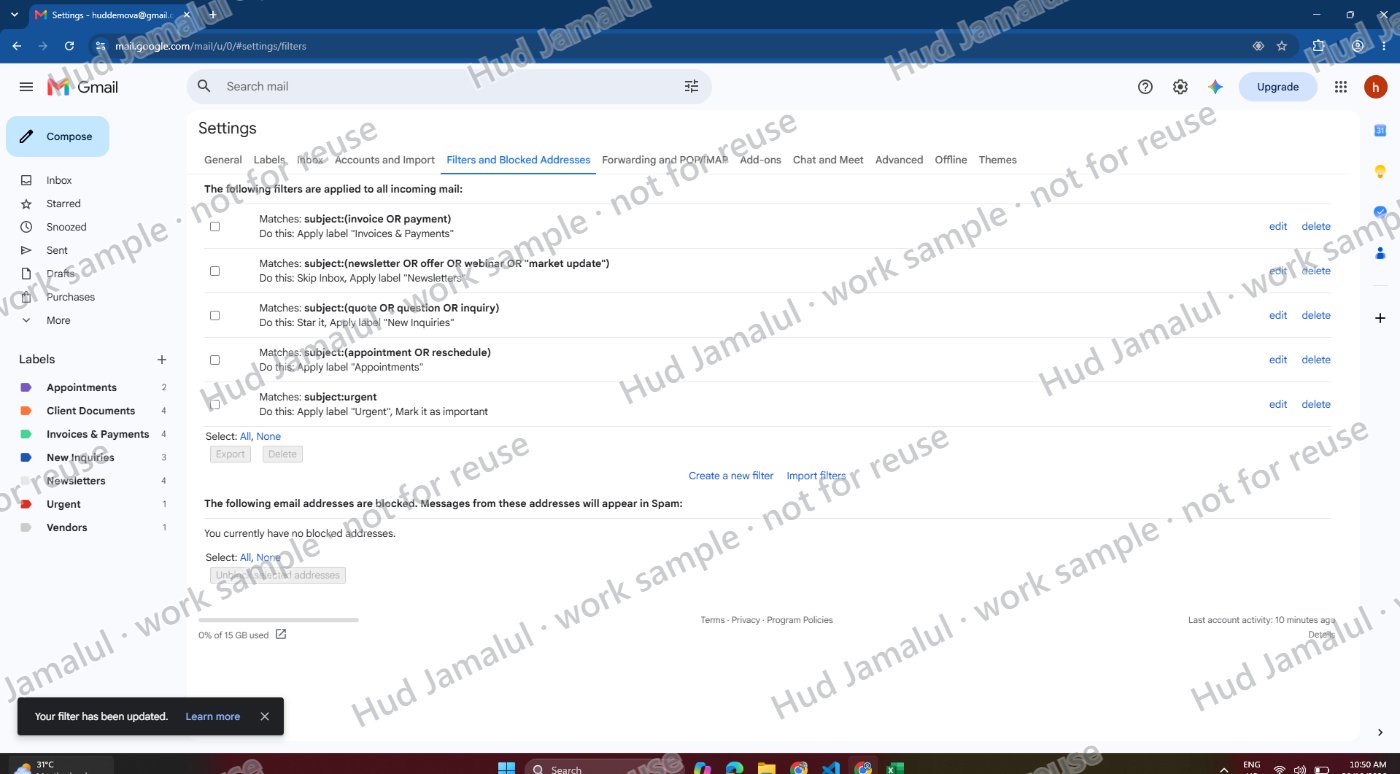
- Set up 5 filters that sort new email automatically, star new inquiries, mark urgent emails as important, and keep newsletters out of the inbox
- Starred the 6 emails that need a reply today and archived the other 14 into their labels
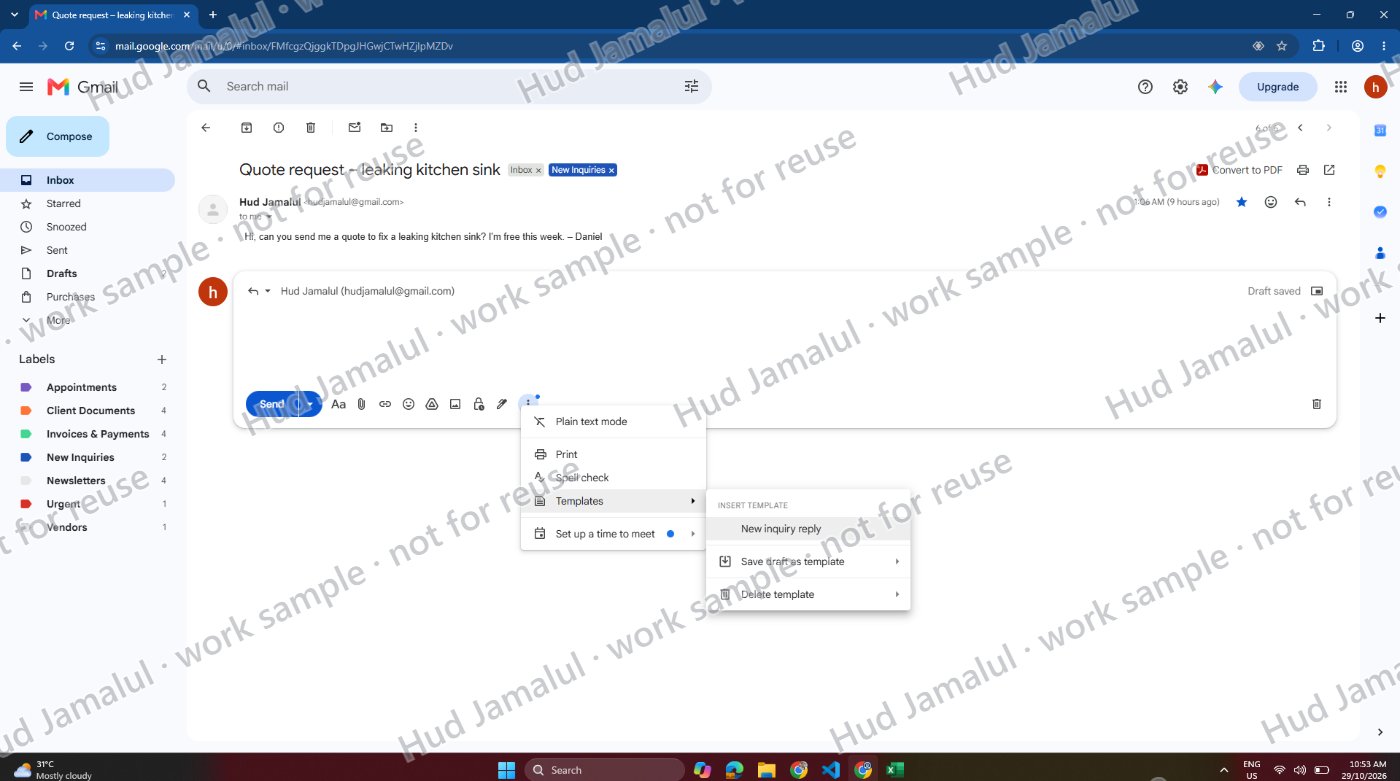
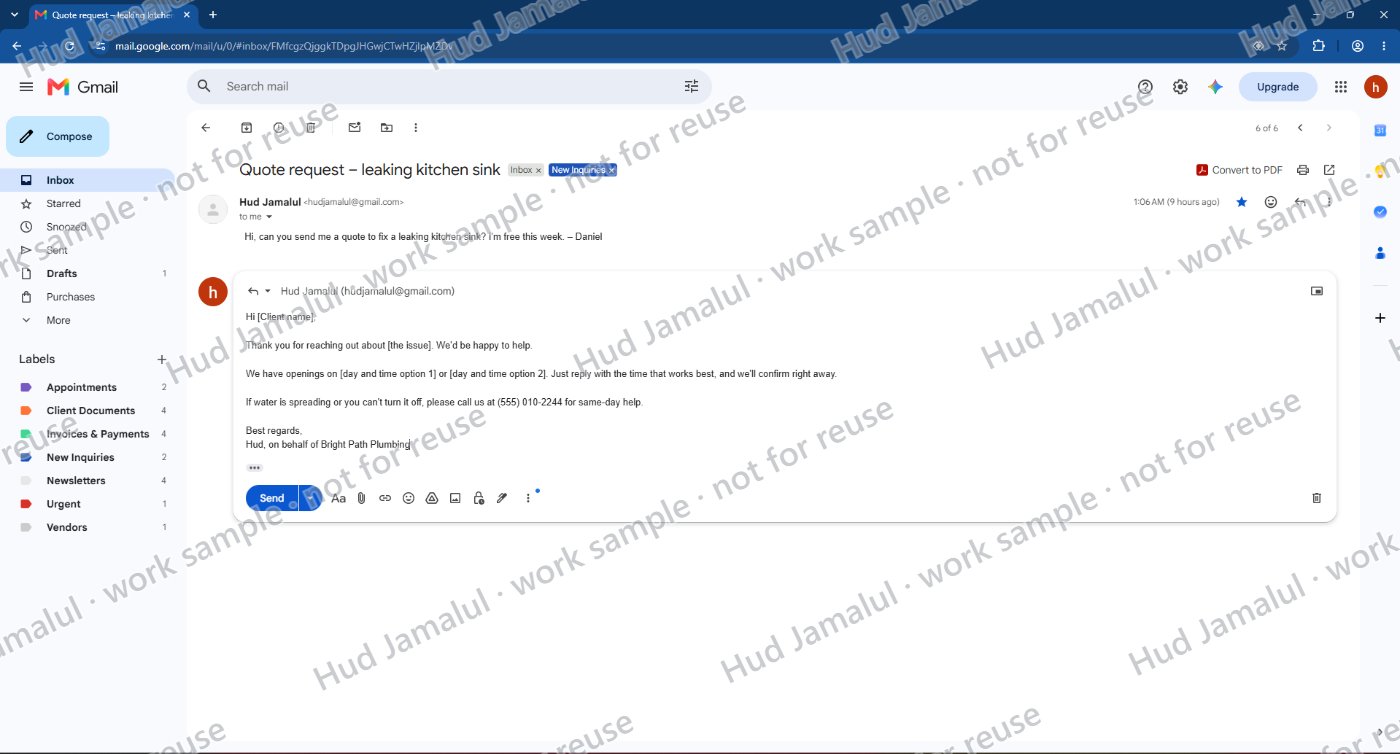
- Saved a reply template for new inquiries, so a professional reply takes seconds
The result
The inbox went from 20 mixed, unread emails to just 6 that need action today, with the urgent repair impossible to miss. Everything else is sorted, searchable, and organized automatically as new email arrives.
As your VA, I can set up the same system in your inbox, check it throughout the day, flag what's urgent, and reply to routine messages for you.
The work
 Full size
1 of 6
Clean inbox: only the 6 emails that need action today
 Full size
2 of 6
All 20 emails sorted into color-coded labels
 Full size
3 of 6
5 filters that sort new email automatically
 Full size
4 of 6
Saved reply template: a professional answer to a new inquiry in one click
 Full size
5 of 6
Saved reply template: a professional answer to a new inquiry in one click
- JAMALUL_Sample_Inbox_Cleanup.pdfOpen PDF
6 of 6
Full sample with all steps (3 pages)