Client Document Tracker for Tax Season
ResultSee at a glance which clients are complete and whose documents are still missing, with no manual counting.
A Google Sheets tracker that shows which tax documents each client has sent, what's still missing, and who needs a follow-up today.
- Google Sheets
- Microsoft Excel
- Gmail
Sample project. This tracker uses 10 fictional clients for a fictional tax office. All names, emails, and dates are made up.
The task
During tax season, tax preparers lose time chasing clients for missing W-2s, 1099s, and receipts. Returns get delayed when no one notices a missing document until the last minute.
What I built
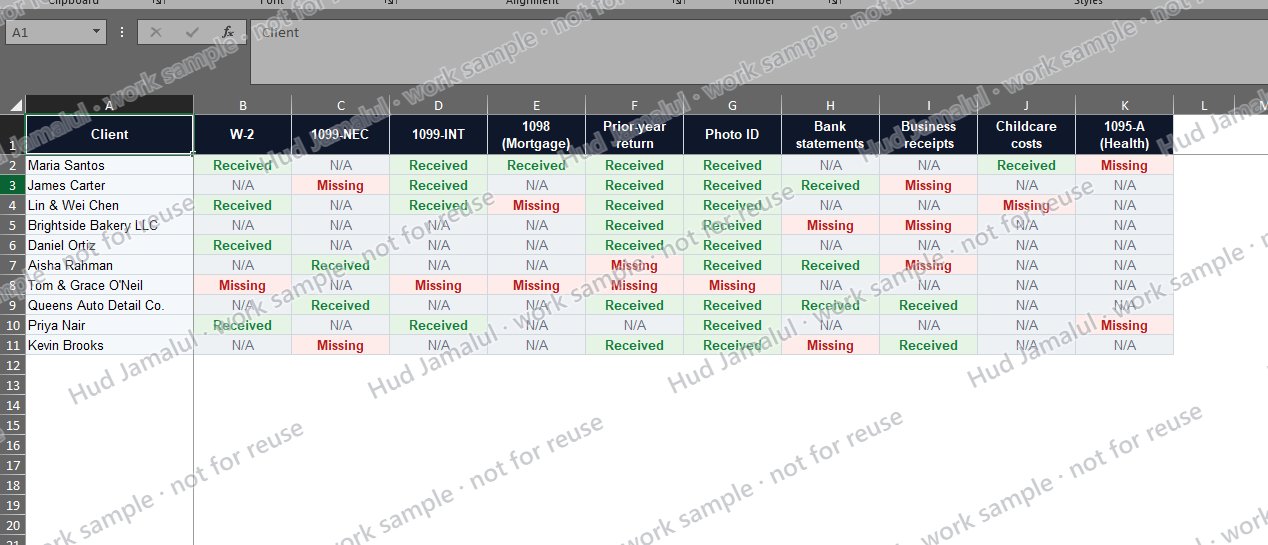
- Checklist: each client's 10 common tax documents, marked Received, Missing, or N/A from a dropdown, color-coded green, red, and grey
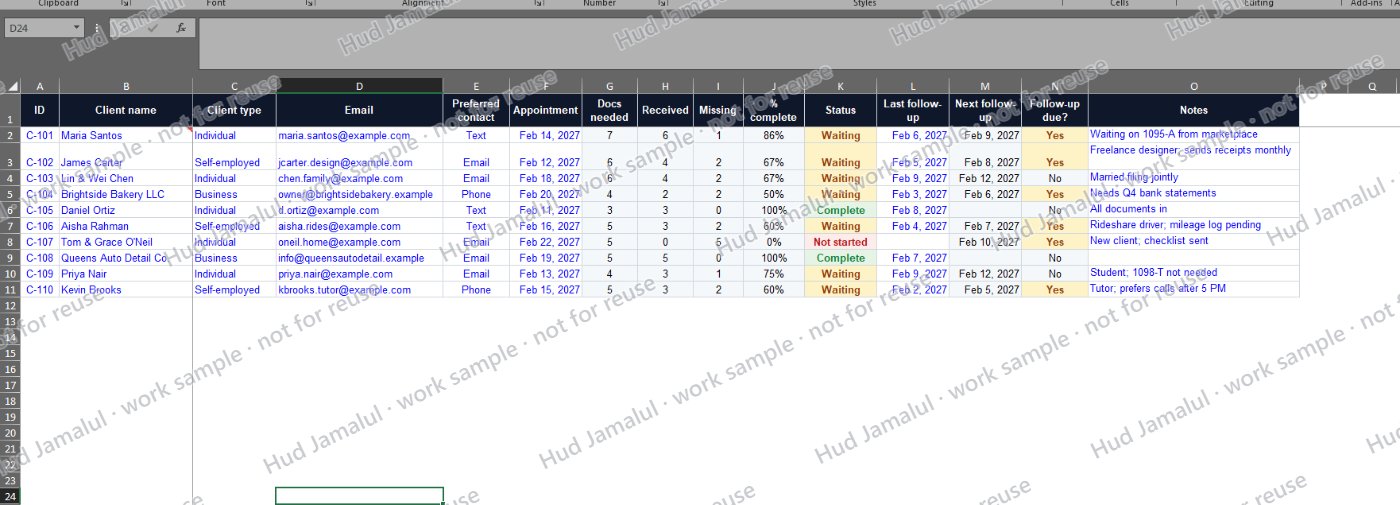
- Clients sheet: counts each client's documents needed, received, and missing, sets their status automatically (Complete, Waiting, or Not started), and calculates the next follow-up date
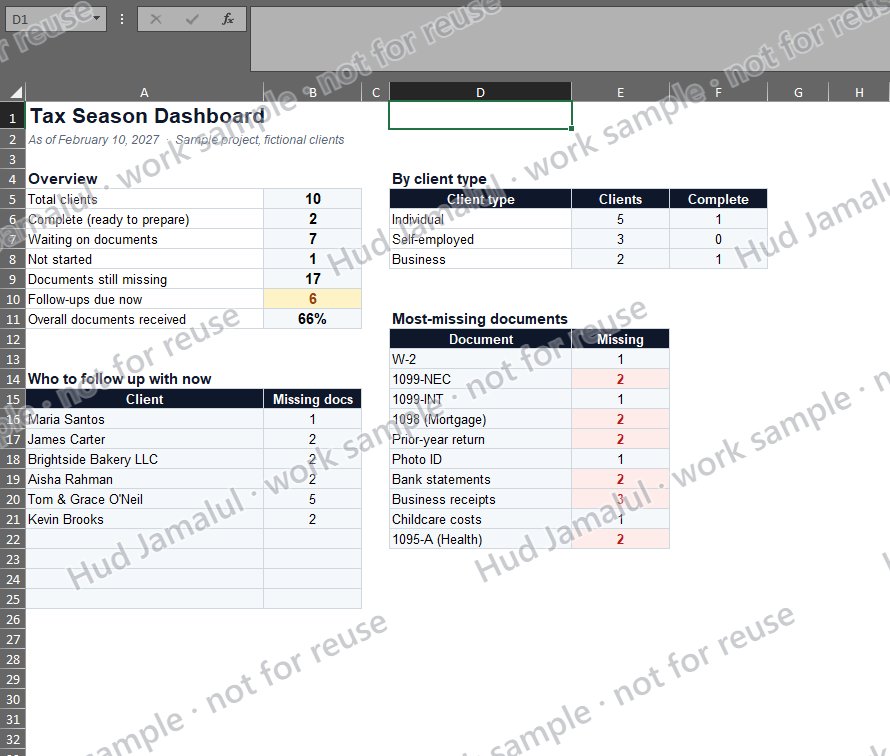
- Dashboard: updates on its own to show how many clients are ready to prepare, how many documents are still missing, which documents are missing most often, and a list of who to follow up with today
- How to use page: a simple guide and color legend, so anyone on the team can use it
The result
At a glance, the tax preparer can see that 2 clients are ready, 7 are waiting on documents, and 6 need a follow-up today, without opening a single email.
As your VA, I can set up a tracker like this for your clients and keep it updated every day, along with the follow-up emails.
The work
 Full size
1 of 4
Dashboard: ready clients, missing documents, and today's follow-ups at a glance
 Full size
2 of 4
Checklist: every client's tax documents marked Received, Missing, or N/A
 Full size
3 of 4
Clients sheet: automatic status, progress, and next follow-up date
- JAMALUL_Sample_Client_Document_Tracker.pdfOpen PDF
4 of 4
Full sample tracker (PDF version)